

We’re more accustomed to creating content for our websites, including blogs, case studies and uploading photos and testimonials. Now that businesses are more familiar with the inner workings of their website from a content perspective, we all need to pay more attention to ensuring we minimise issues that crop up that can hurt our website performance in Google search results. What things should business owners and website managers be looking at when maintaining their website?
Optimal Page Titles and Meta Descriptions
If you are creating regular content on your website, you’ll be adding lots of new pages. That’s great because it helps your followers stay up to date with what your business is up to, shows your business is alive and well and helps educate your community. However, you might be missing out on more website traffic from your target audience if you haven’t optimised your website page titles. Your page title is the snippet that appears in Google and tells search engines and searchers what the page is about. Using optimal keywords and an optimal page title length can help searchers to find your content. And use the meta description text, just below the page title to give searchers a flavour of what your web page is about.

We’d recommend using the Yoast SEO tool to help you create optimal page titles and meta descriptions.
Reduce 404 and broken links
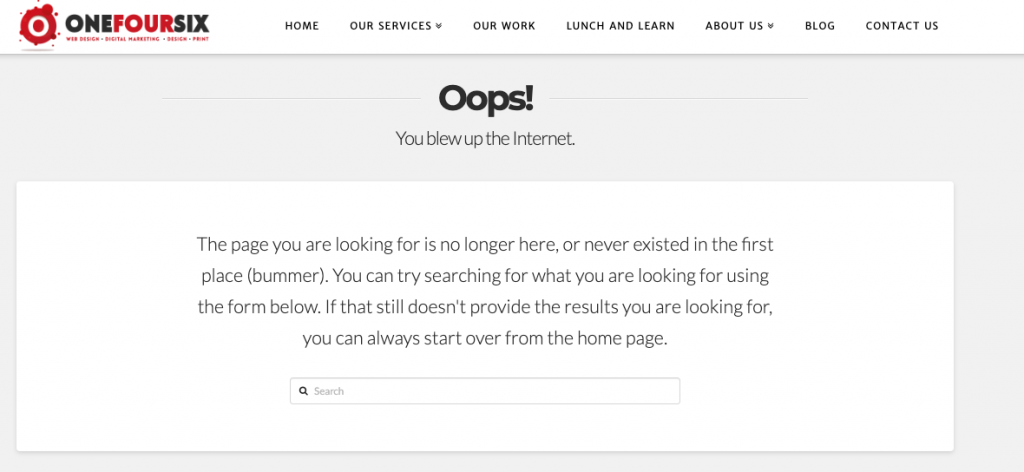
A 404 error is a broken page on your website. It’s a dead link to a web page that either doesn’t exist or has been deleted. It creates a poor user experience on your website as users can’t navigate through a nice friendly flow of information from point A to point B. You’ll be able to tell if a page has a broken link because when you click on the page, you’ll get an error message popping up to say that the page doesn’t exist.
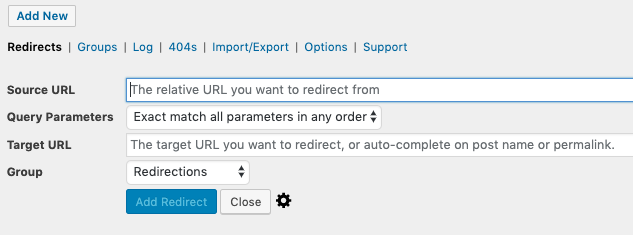
Firstly, you need to be able to identify the pages that are broken. If you have a small number of pages it should be fairly easy to navigate around your website and manually check that wherever you have a link to another page, the link works correctly. Don’t forget that broken links won’t only pop up in the main body of the text, but will also pop up in broken menus, sitemaps, footers and any link that takes you to another part of your website. A broken link can also include an external link to another website. Make a point of checking those external links as well. If you have a larger website, it might be better to use a tool to help you check. We’ll come on to those tools shortly. If you notice a large number of broken links and you don’t want to go through the process of manually changing the broken links, it might be better to set up some 301 redirects. A 301 redirect can direct a broken to link to a page that is live. That will help improve the user experience on the site and remove broken pages, which Google hates. If you have a WordPress website, we’d suggest using the Redirection plugin, as it makes it really simple to redirect one page to another.
On-page content and load times
First and foremost, write content aimed at your audience. Once you feel comfortable writing in a style that engages your audience there are a few steps you can take to help make your website content more effective. Firstly, make sure you write enough. Thin content is a term used to describe web pages that are lacking detail. Usually if a web page has less than 200 words, the content may be deemed quite thin. Make use of appropriate headings in the structure of the page. In HTML code, H1, H2, H3 etc are used to determine the order of the headings. In WordPress it’s easy to appropriately set the heading tags for your web pages. Use H1 for the main heading of the page. That will help search engines understand what the main bulk of the content is about. Use images on your web pages where appropriate and don’t forget to use the image alt text. Alt text, or alternative text, is used to explain what an image is about in words. Search engines aren’t smart enough to be able to analyse what features in an image and so alternative text is used to help describe what the image is, and search engines can read this information.
Additionally, pay attention to the load time of the web page. Search engines don’t favour web pages that take a long time to load their information, preferring websites that load quickly. Practically, keep the size of images small by resizing them in your favourite image editor. If you have a WordPress website, use the WP Smushit plugin to help optimise your images.
Recommended tools
There are a number of free and paid tools, depending on how much attention you wish to pay to keeping your website in good health and improving your search rankings and offering a great website experience. Give these tools a try and see which one you get on with best.
If you need any help or support with maintaining your website, as always, give us a shout.
