
When website traffic is low and visitors aren’t converting to leads, there is a common misconception that a new website is the answer, and this isn’t always the case. Don’t get us wrong, we design new websites as one of our services and understand there are definitely times when a new website is required, but often, the content itself, or lack of content, is causing the problems. Optimising your web content to improve how you rank on search engines can make the world of difference to growing traffic and leads.
We’ve written this guide to help you identify what content needs improving and how to make those improvements; some are quick fixes, others require more commitment, but all of them work harmoniously together to help you reach your website goals.
This guide to optimising website content for SEO will cover:
- What on-page SEO is
- Writing helpful, authoritative content
- Using keywords strategically
- Creating a linking strategy
- Building a good webpage structure
- How good visuals help SEO
- Including important technical SEO
When combined and put into practice, these 6 factors can considerably boost where your website appears on Google.

Download this 6 ways to improve your webpage SEO infographic as a PDF!
What is on-page SEO and why is it important?
SEO covers several areas, but for our purpose of improving content specifically, we’re mostly focusing on what’s known as ‘on-page SEO’. Optimising on-page SEO is important for two main reasons.
Firstly, and arguably most importantly, it improves the user experience for your website visitors. Finding relevant content, quickly and easily, then being able to understand and get value from the content, is every user’s expectation. High quality content is more likely to lead to conversions which is the ultimate goal.
Secondly, if search engines also think your website content is high-quality, they are likely to rank it higher than lower quality content. The higher in the search results you appear, the more likely people will find your website.
Writing helpful, authoritative content for SEO
The main aim of website content isn’t to appease our search engine overlords, but instead to help your users find the information they need so they can make informed decisions. If you need some inspiration and ideas on what to create, here’s how to create best on the web content.
What makes content helpful comes down to understanding your audience, and how you present the information. This includes:
- Answering questions,
- Delivering information in diverse ways e.g. images, video, infographic,
- Making your content accessible for visually impaired people and screen readers,
- Breaking down complex topics into easy-to-understand points,
- Summarising key concepts,
- Structuring the webpage so the content is clear and scannable,
- Including relevant keyword,
- Utilising links to direct users to other relevant content on your website.
These elements combine to make content easy to understand for readers who absorb information in different ways. Although they are your target audience, they will all have different reading abilities, some will prefer bullet points, others will prefer images, and they may be looking for various levels of information. Creating content in a range of formats will get your messages across to more people.
Choose and use keywords strategically
Keywords are the words and phrases that people put into search engines. When the content of a website is finely tuned with the right keywords, it helps unite searchers with the results that most match their query. In this section we’re going to cover the key points, for further reading, here is an in-depth guide to choosing and using the right keywords.
Keywords are critical for reaching the right audience for three main reasons:
- Match user intent and relevance,
- Improve visibility and ranking,
- Give you a competitive edge if your competitors aren’t using keywords or choose the wrong ones.
Basically, effective keyword usage helps search engines and users understand what your website content is about.
So how do you choose which keywords to use? Keyword research can be done in several ways, some methods are free, and others are paid, all have their merits. You can find out what keywords to use by:
- Paying attention to what your customers say,
- Using social media listening tools,
- Thinking about your personal search techniques – how would you search for this product or service?
- Setting up keyword research tools like Google Keywords Planner or Ahrefs,
- Instruct a marketing agency to do the research for you.
As an agency, we have access to paid tools and services we use for our clients which makes the process easier and quicker, but that doesn’t mean you can’t get some fantastic results through the free methods.
Depending on your product or service however, there can be hundreds, even thousands, of relevant keywords, so how do you narrow that down to a manageable amount?
This involves balancing the relevance, search volume, and ranking prospect of each keyword which you can find out through keyword research tools. Think about;
- User search intent,
- Keyword difficulty,
- Your competition,
- Keyword organisation and placement,
- Your overall marketing goals,
and this will help you narrow down the options.
Once you’ve chosen a few keywords to use, try not to over-use them and only insert them where the context and content makes sense to.
To really benefit from a keyword strategy, you need to:
- Track the progress
- Review and adjust over time
- Look at the bigger picture
This helps you adapt to search trends, understand users, measure performance, and analyse competitors.
Create a linking strategy
Linking is one of several SEO tactics that enhance a website’s search engine rankings and improves the user experience. It’s the practice of adding and improving internal and external links, and sourcing authoritative back links.
Internal linking
Internal links connect one page of a website to another page on the same website. This helps users with navigation, discovering new content, and encouraging them to stay on the website for longer.
When you add an internal link, make sure the link text explains to the user, and search engines crawling your website, what to expect if they click. This means instead of writing:
“click here to read our blog on winter marketing strategies”
and only linking where it says “click here”, you’d write:
“learn more about winter marketing strategies” and link a longer section of the sentence.
External linking
External links, also known as outbound links, are links from one website to another. For example, in a blog that features a statistic, and the outbound link is to the source of that statistic. It’s important that the website that is linked to is authoritative and trustworthy, like BBC News or the NHS website. For less obvious websites, use a keyword research tool to check the domain rating of the website.
Back Linking
Back links are inbound links coming from trusted and authoritative websites to your own. For websites to link back to your own involves building good relationships and for your website to be a high standard. Back links are extremely valuable, but hard to get because;
- There is a huge demand for them,
- No one wants to accidently link to dubious websites,
- A lot of websites will have “nofollow” code automatically applied to links from their website – this tells search engines not to count it as a back link.
Google are cracking down on what is known as “black hat” linking which is when website owners pay for lots of backlinks to be placed around the web and they aren’t relevant or on good quality websites. Sure, it generates a lot of links and has worked in the past, but as Google find those links and websites, they will penalise them.
“White hat” linking is when you use legitimate methods to earn back links such as:
- Writing good quality press releases that are published,
- Websites quoting your helpful content,
- Directories with “follow” code for links,
- Collaborating with other businesses who link to your website,
- Case studies and blogs.
Implementing a good linking strategy is great for the people who use your website as well as search engine performance. Benefits include:
- Boosting authority
- Higher ranking
- Increasing traffic
- Adding value
- Improving navigation
Structuring webpages for SEO with headings
Search engines love a well structured webpage, and so do users. Headings help people scan the content and quickly find the most relevant parts for them, it also helps people digest what they are learning easily.
When you add content to a website using a Content Management System (CMS) like WordPress, you have options to add headings of different sizes; H1, H2, H3, and H4 are the most common. The headings aren’t there just for size, but also to tell search engines what the content is about. Here’s how we’re structuring the headings on this page as an example:
H1 should match your page title and clearly describe what the page is about. Only ever have one H1 heading on a webpage.
H1 example: Guide to optimising website content for SEO
H2 are headings you can use multiple times to break content down into sections, this makes it easier for users to scan the page and find what they want, and helps search engines know what content is covered.
H2 example: Create a linking strategy
H3 headings are used to break content down further, and headings below this such as H4 and H5 are used in a similar way.
H3 example: Internal linking
From an accessibility perspective, headings help people who use screen readers navigate around a page and find what they need quickly.
Why are visuals important for SEO?
Visual components of a webpage include images and video and could be presented in a variety of formats:
- Photos of people or products
- Graphic designs
- Infographics
- Screenshots
- Short vertical video clips
- Long form landscape videos
It’s important to include visuals of some kind on webpages mostly because it creates a better user experience and makes information easier to understand. Visuals give context and can reinforce the message you’re trying to communicate.
To make the most of visuals on a page they should also be optimised for SEO:
- All visuals need to be of the highest quality
- Each visual component needs to be a reasonable file size
- Alt text that describes the images and video should be included as standard
All the visuals on your website should be high in quality but low in size. Large sized files will make the page load slowly and if they are poor quality, they will frustrate users.
Alt text is added for two reasons, so that screen readers can describe the image to a person using it, and so Google can understand the context of the image. Search engines can’t understand images, so they rely on alt text to make sense of the image and whether it’s relevant to a page or not. Describing the image in alt text can also help it appear as search results in Google Images.
Technical SEO for content optimisation
Technical SEO covers a wide range of different processes and elements across your whole website, but most of that is considered part of off-page SEO and more behind-the-scenes, than content optimisation. However, if you are trying to optimise a particular page or blog, there are a couple technical SEO techniques you should include. These are:
- Mobile optimisation
- Page speed
- Broken components
- Meta descriptions
Mobile optimisation
Ensuring your pages are built for viewing on smartphones and tablets is extremely important for users and search engines.
So many people use their phones as their primary device for browsing and buying, it makes no sense to make the experience harder for them by forcing them to use their webpage as if it was on a desktop or laptop PC.
Not only can search engines penalise you, but it can put people off using your website when they find it difficult to use.
Page speed
Ideally users want the page they click on to load in less than 1 second and search engines prefer this too. There are tools you can use to find out what speed your pages are loading at and then fix any issues that are slowing it down, for example large file sized images.
Broken components
Checking that everything works on a webpage is pretty vital for SEO success, not only does something not working annoy users, but search engines can penalise websites for it.
So, as part of your web optimisation process, check all the links work, visuals load correctly and quickly, and unnecessary redirects are removed.
Meta descriptions
Meta descriptions are the text below the page title on search results – you can fill this in from a CMS otherwise Google will try and provide one based on the content it crawls.
Ideally you want to write your own meta description so you’re in control of how it is presented to potential readers.
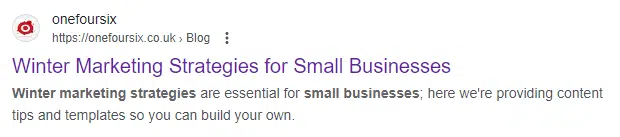
Optimising Web Content for Search is a free marketing masterclass we held online that covers the topics in this blog, plus some additional insights from our director Dave and live questions from our audience. Watch it for free, no sign up or paywall required, for the extra tips, or just to absorb what we’re talking about in a different format.
Sign up to our next educational webinar for free by visiting our Lunch and Learn marketing masterclass sign-up page for actionable tips and advice on all things marketing.
Common questions about optimising website content for SEO
What is SEO?
SEO (Search Engine Optimisation) improves your website’s visibility on search engines, helping it rank higher for relevant searches so more people can find it.
How do you choose keywords?
Pick keywords that match what your target audience is searching for, balancing high search volume with low competition.
What does ‘no follow’ mean in SEO?
It’s a tag that tells search engines not to pass authority to a specific link, preventing it from affecting rankings.
Are headings important in webpage SEO?
Yes, headings structure content for both users and search engines, making your page easier to read and index. Headings are particularly helpful for people, as they make content easier to skim, and for accessibility tools like screen readers to process.
What is meta description?
It’s a short summary of a webpage that appears in search results, helping users decide whether to click your link.
Why should you add alt-text to images?
Alt-text improves accessibility for visually impaired users as the description explains what your image is about. This also helps explain the image to search engines.
What is the difference between on-page SEO and off-page SEO?
On-page SEO optimises content on the visible part of your website that users are likely to see, while off-page SEO involves activities (like backlinks) happening in the background to boost rankings.
