

Instagram was once just a photo sharing platform. It continues to expand and grow, having recently introduced ‘Instagram shopping’. This provides a new set of features that allows people to shop through photos and videos on the app. Alternatively, this gives an opportunity for retailers to set up a brand new store through this platform.
Promoting products through Instagram is a great way to increase your business’ reach and engagement. With over 500 million daily active users, Instagram will be sure to find at least one new group of audience.
We’ve put together just the checklist you need to set up your own Instagram shop.
What is Instagram shopping?
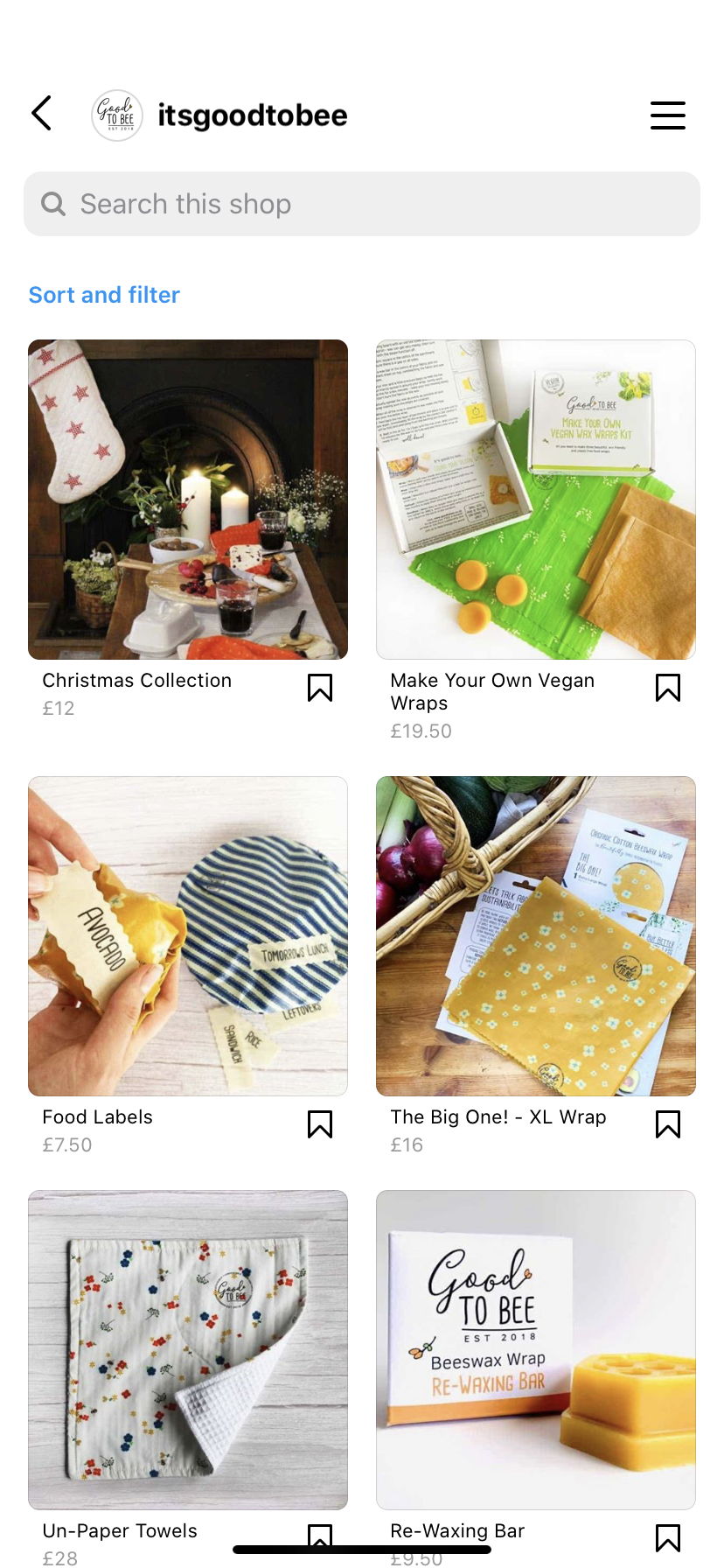
An Instagram shop allows you to display your products within the social media app. This is perfect for promoting your products directly to Instagram users, either through stories, posts or the ‘explore’ tab. Here’s an example of how Instagram displays products in their shopping tab. This particular example shows a range of products all from the same store. You can see the price of each product, along with an image and description of it too.
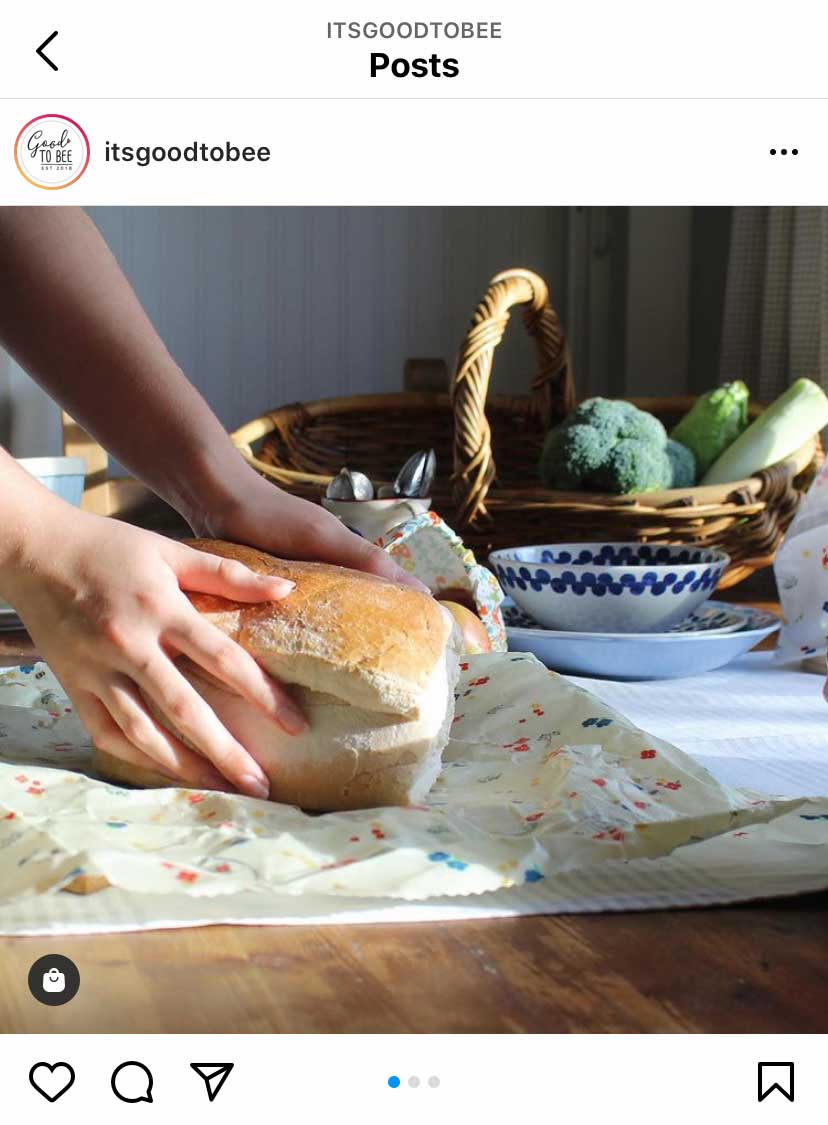
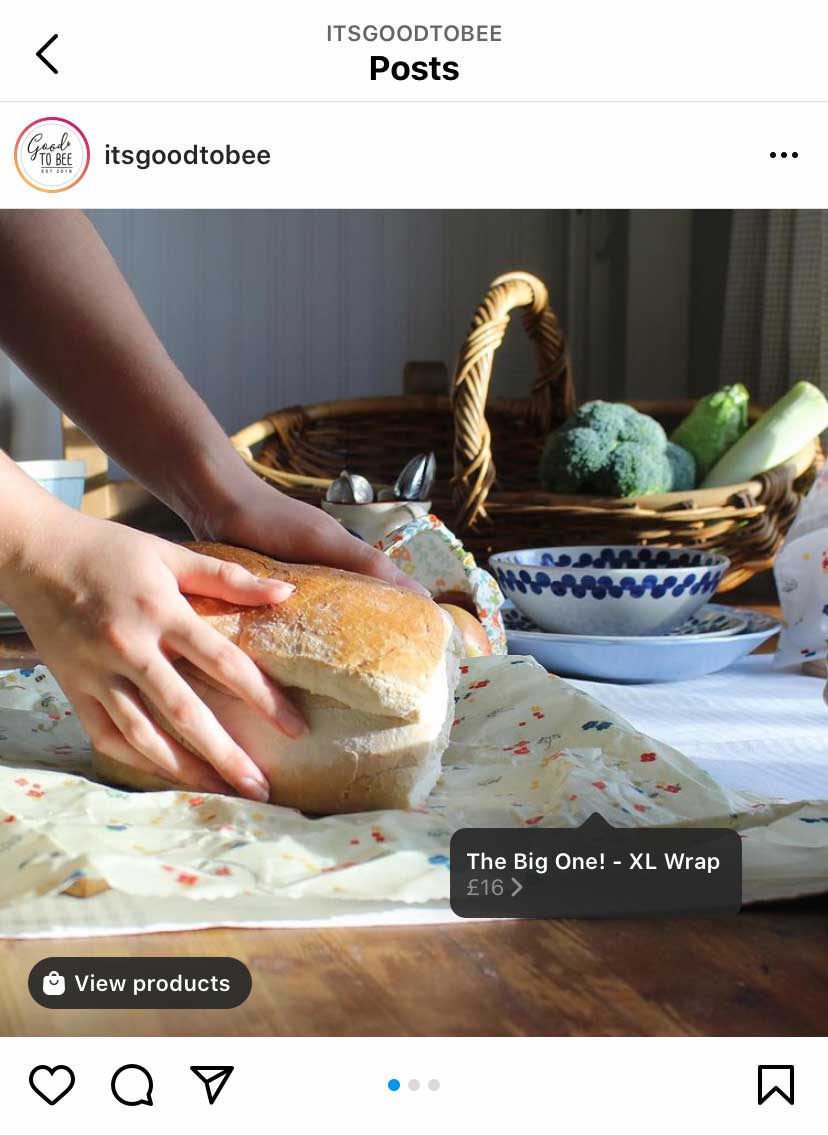
You can also tag products from an Instagram shop, the same way you would tag a friend in an image. When this feature is used, you will notice a little shopping bag icon in the bottom left of the image. When the user taps on the image, the prices of the featured products will appear hovering over the image. Here’s an example:
How to set up your Instagram Shop
Follow these steps for setting up your Instagram shop, and this will introduce you to a load of new features, such as shopping tags.
1 Confirm Eligibility
If your business ticks all of the points below, it means you are eligible for setting up Instagram shopping.
- Your business is located in a supported market
- You have an eligible product
- Your business complies with Instagram’s merchant agreement and commerce policies
- You own a website domain in which you intend to sell your products from
2 Convert to a Business Account
You may have already set up a business account for you company. If you have, just continue to step 3.
If you haven’t, you want to make sure your Instagram account has been set up as either a business or creator account. To convert your account, all you have to do is go to your profile and click on the 3 lines in the top right corner. Then go to Settings > Account > Switch to Professional / Creator Account.
Once you have a business account, you can include relevant business information such as opening hours, contact details and a link to your website.
3 Connect to Facebook
An important consideration that will benefit your business is connecting your Instagram business account to a Facebook page. You can do this by going to Edit Profile > Personal Business Settings > Choose your Facebook page.
4 Upload Products
Instagram shopping has a product catalogue integrated throughout the tab. There are 2 ways you can connect a product catalogue to your Instagram account.
#1 Through the catalogue manager
This is found within the Facebook Business Manager on your Facebook page.
#2 E-commerce platform partner
This is through an integrated e-commerce platform, such as Shopify. This will require you to set up your catalogue through the Shopify (or relevant) platform.
5 Account Review
Once you’ve connected a catalogue of your products, you will need to submit your account for review. This can take a few days.
To do this, go to Settings > Sign up for shopping > Follow the steps > Submit.
If your account requires more information, Instagram will notify you.
6 Turn on Shopping Features
Once your account has been approved, you can then turn on your shopping features. You can do this by going to your Profile > Settings > Business > Shopping > select the product catalogue you want to connect to your account > Done.
7 Start Tagging
Now your shop is ready to go! You can start using the shopping tags previously mentioned at the start of this blog. This will help to highlight products in any photos or videos you post across your feed or stories.
If you have any questions about setting up your Instagram shop, get in touch with our marketing team.
onefoursix are a digital marketing and SEO agency in Northampton. We work with local businesses all across Northamptonshire and surrounding areas. We have a fantastic team who specialise in social media, and are happy to help you with your Instagram business. To find more marketing tips and tricks, click here, or check out our previous work. Let us get your business noticed.
